


Have you ever seen your charging peaks rise and wondered how you can charge your growing fleet of electric vehicles without spending a fortune on an upgrade to your grid connection? The solution is often already in your meter cupboard. reading the P1 port The secret behind smart, cost-efficient charging lies in your digital meter. This small data port provides a constant, real-time stream of energy data, making dynamic load balancing a reality. For every Belgian company with an EV fleet, this is the key to preventing grid overload and significantly reducing the energy bill.
Unlock Smart Charging by reading your P1 Port
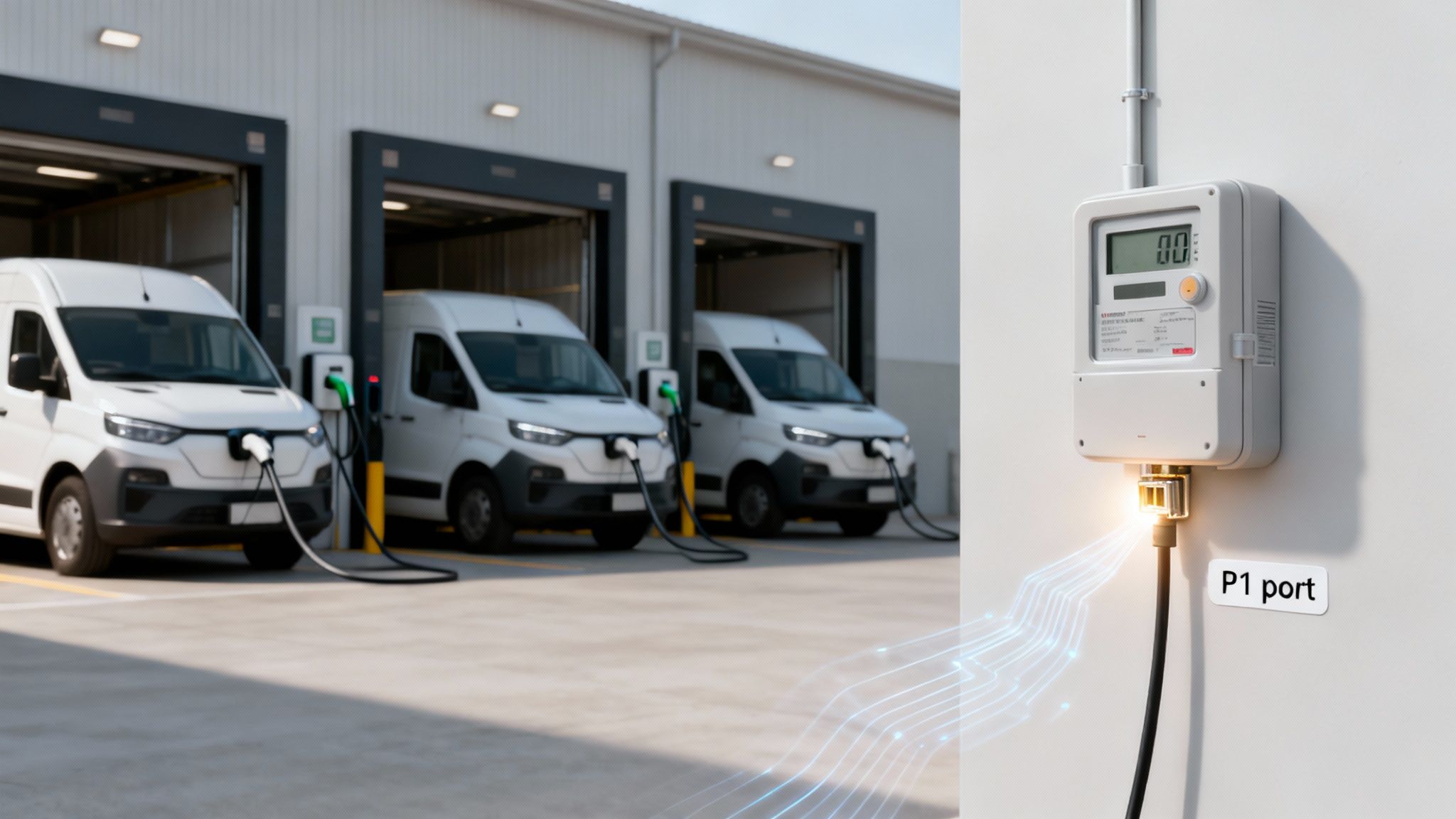
Are you wondering how your company can charge an entire EV fleet without an expensive and disruptive grid connection upgrade? The answer is likely already in your technical room, directly on your digital meter. We are talking about the P1 port, a small but powerful data connection that gives you a live feed of your building's energy consumption.
By 'reading' this port, you gain access to raw data that shows exactly how much power your facility consumes, second by second. For a Belgian company managing multiple EV chargers, this is not just a technical gadget – it is the cornerstone of intelligent charge management. Instead of plugging in vehicles and hoping for the best, you can dynamically adjust charging speeds based on what the rest of the building is consuming at that moment.
The Power of Realtime Data
The digital meters installed by grid operators such as Fluvius are all equipped with this groundbreaking port. Every second, the port transmits a data "telegram" packed with crucial information. This constant feed enables precise, automated control over your charging stations and other energy assets. Think of it as a live dashboard of your building's energy heartbeat.
This real-time insight is essential to the dreaded 'quarter-hour peakto avoid, which can significantly drive up your energy bill. In Belgium, a substantial portion of your grid costs is based on your highest consumption peak within fifteen minutes. Studies show that uncontrolled charging can increase a company's peak load by more than 50%. Without clear visibility, it is frighteningly simple to cause a new, expensive peak when several EVs start charging at the same time.
By actively monitoring P1 data, a charge management system can automatically reduce charging speeds when the building's total consumption becomes too high. This smooths out your peak consumption and leads to direct, measurable savings on your energy bill.
A Practical Business Scenario
Imagine a fleet of 20 electric vans for those that all return to the depot at the end of the day. If you connect them all at full capacity, you can easily exceed the capacity of your grid connection. That means tripped fuses, or worse, huge peak rates from your energy supplier.
This is where the connection to the P1 port makes the difference. A smart charging system, such as the one we developed at Blulinc, can orchestrate the entire process.
- During peak hours, When the office and the warehouse are still consuming power, the system automatically limits the total energy going to the chargers.
- At night, When the building's energy consumption drops to near zero, the system intelligently increases charging speeds to get every vehicle ready for the morning.
The result? Every van is fully charged in the morning, all without ever exceeding the limits of your existing grid connection. Taking the first steps is often simple; you can read more about it in our guide for activating your P1 port. This guide explains what the P1 port is, why it is a game changer for companies with EVs, and how we use this technology to create smarter, more cost-effective charging solutions.
What Your Digital Meter Tells via DSMR
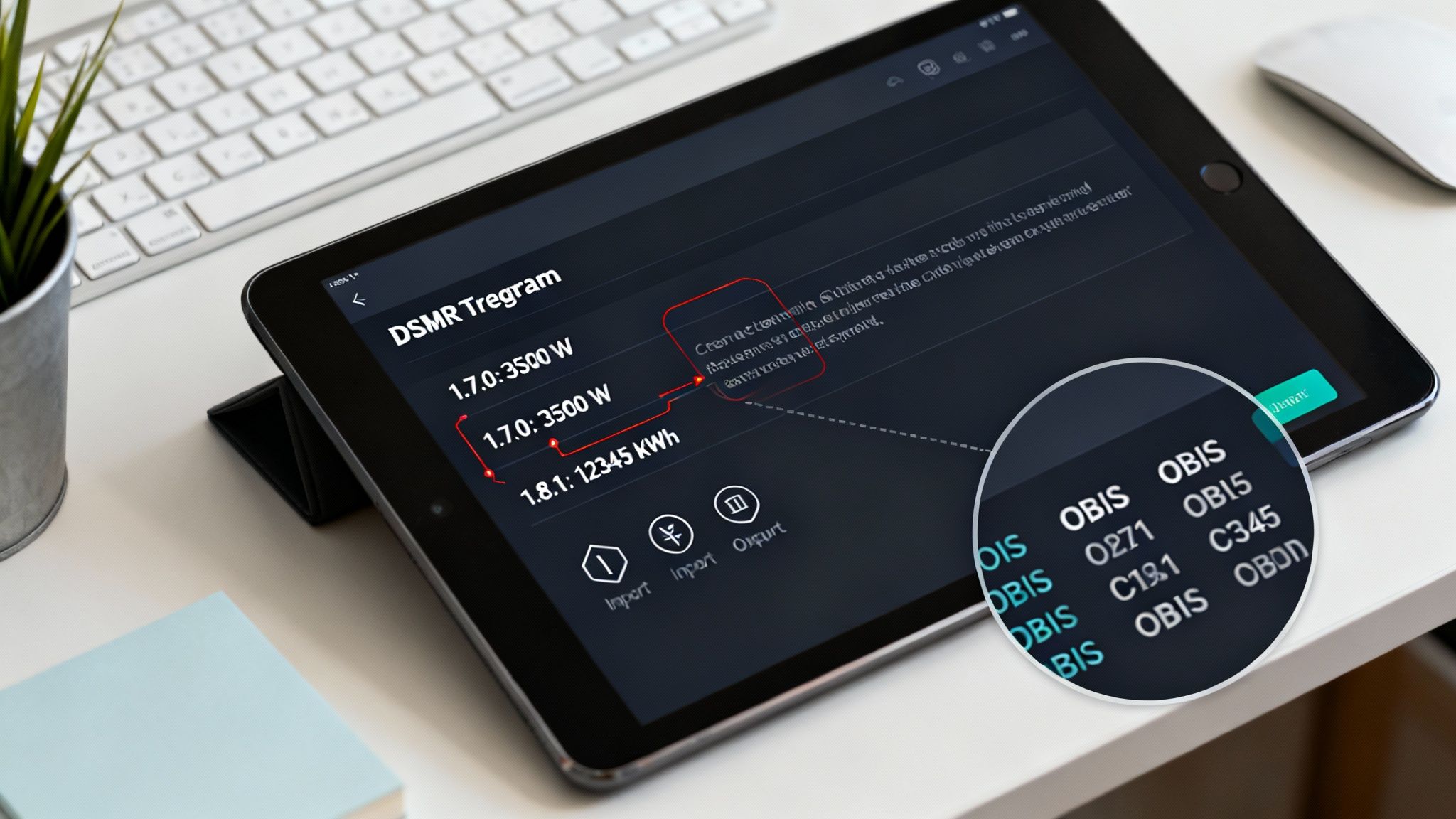
The data stream coming out of your P1 port is not a random sequence of characters. It is a highly structured message, a so-called DSMR telegram – a detailed, second-by-second report on the energy status of your building.
Think of it as the way your meter tells you exactly what is happening with your electricity consumption at any given moment.
Within each telegram, every piece of information is labeled with a unique OBIS code (Object Identification System). These are standardized labels that ensure a specific measurement, such as the actual power consumed, is always identified in the same way, regardless of the meter manufacturer. For any company looking to implement smart charging, understanding these codes is the first step to converting raw data into intelligent action.
Decoding the DSMR Telegram
At first glance, a raw DSMR telegram can look intimidating: a block of text full of codes and values.
However, once you know what to look out for, it becomes an incredibly powerful source of insight. The telegram offers a complete overview, from your total consumption to the electricity you may be feeding back into the grid via your solar panels.
For effective EV charging management, you don't need to decipher every line. We focus on a few crucial OBIS codes that directly influence how and when you can charge vehicles without tripping the main fuse. These are the critical data points that us Blulinc platform used to make real-time decisions.
The absolute cornerstone of dynamic load balancing is the current power consumption, identified by OBIS code 1-0:1.7.0. This code tells us the total power that your building at this moment draws from the grid, allowing an energy management system to directly calculate the available remaining capacity for charging EVs.
Essential OBIS Codes for EV Charge Management
To make this practical, we will explain the essential OBIS codes found in a DSMR 5.0 telegram, the current standard for modern meters in Belgium. These codes provide the basic input for any robust smart charging or dynamic load balancing system.
| Essential OBIS Codes for EV Charge Management | ||
|---|---|---|
| OBIS Code | Description | Application for EV Charging |
1-0:1.7.0(kW) | Current Power Consumption | This is the live, total power consumed by your facility. It is the most critical value for dynamic load balancing. |
1-0:2.7.0(kW) | Current Injected Capacity | Displays the real-time power fed back into the grid, crucial for locations with solar panels to maximize self-consumption. |
1-0:1.8.1(kWh) | Total Consumption (Tariff 1 - Peak) | Track your total energy consumption during peak hours. Useful for cost analysis and long-term reporting. |
1-0:1.8.2(kWh) | Total Usage (Tariff 2 - Off-peak) | Measures total energy consumption during off-peak hours. Helps plan charging sessions when electricity is cheapest. |
0-0:96.14.0 | Current Rate | Indicates whether you are in the peak (1) or off-peak rate (2), which enables automated, cost-optimized charging. |
These few data points form the basis for a truly smart and responsive charging infrastructure.
An Example from Practice
Let's put this in context. Imagine a medium-sized office with a 100 kW grid connection and solar panels on the roof.
At 14:00, the DSMR Telegram can report the following:
-
1-0:1.7.0(045.500*kW)– The building currently consumes 45.5 kW. -
1-0:2.7.0(010.000*kW)– Injecting the solar panels 10 kW in the net.
A smart charging system sees this and immediately calculates that there 100 kW (grid limit) - 45.5 kW (consumption) = 54.5 kW is to available capacity. It can then safely distribute this power among the connected EVs.
An hour later, a heavy machine starts up and the building's consumption rises to 70 kW. The system responds immediately by reducing the power to the chargers to 30 kW to prevent overload and, crucially, to avoid a new, expensive 15-minute peak.
This type of dynamic adjustment is only possible by continuously reading data from the P1 port.
Choosing the Right Hardware to Connect to Your P1 Port
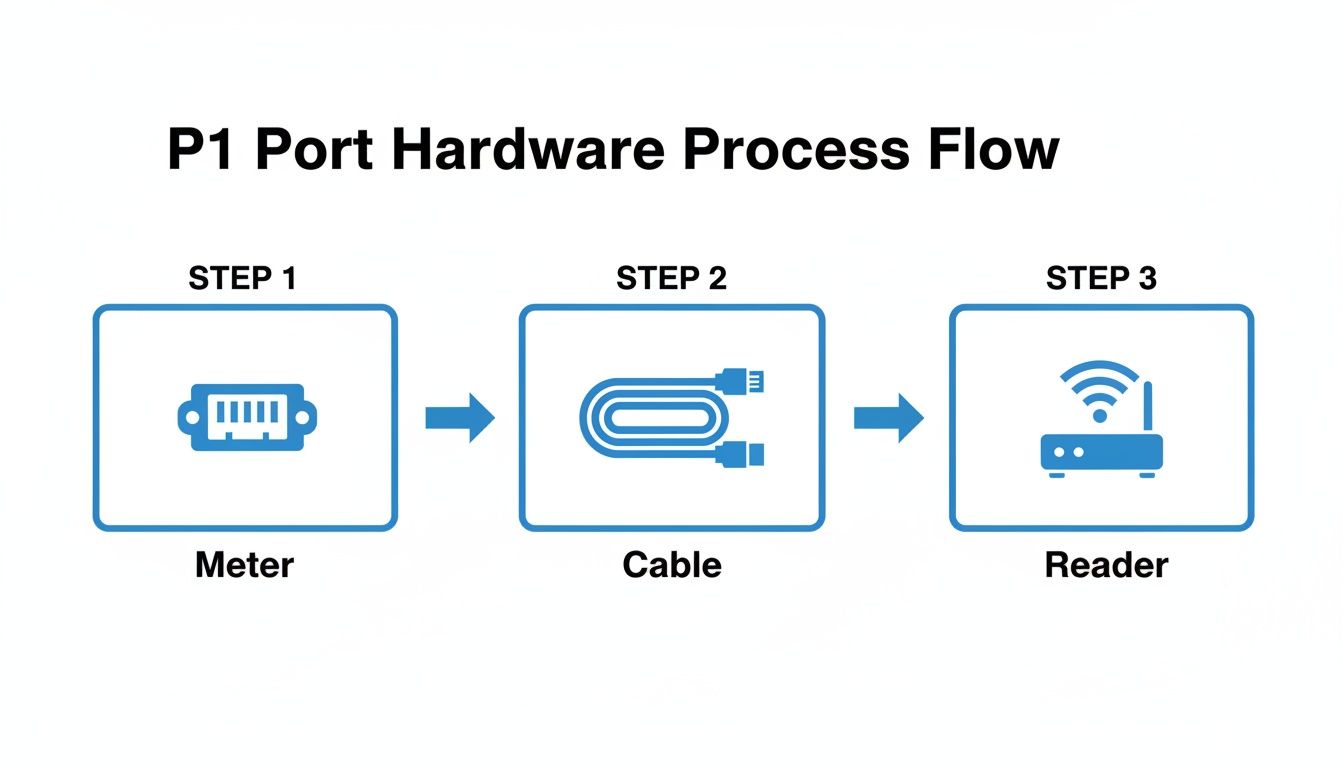
To retrieve data from your digital meter, you need the right equipment. Although the P1 port on your meter uses a familiar RJ12 connector – similar to an old telephone jack – you cannot simply plug in any cable. To successfully read your P1 port, you need specialized equipment designed for this purpose.
The journey from raw meter data to actionable insights for EV charging begins with a dedicated P1 cable. This is the crucial link that converts the electrical signals from the meter into a format that other devices can understand. From there, there are various options, each suitable for different scenarios – from a small office with a few chargers to a large facility requiring a robust, network-based solution.
P1 Cables: The Essential First Step
The most direct way to data from the read p1 port to get, is with a P1 to USB cable. This is an excellent starting point for tests or for a simple setup where a computer or server is located directly next to the digital meter. The cable contains a small chip that converts the serial data from the meter into a standard USB signal that a computer can easily read.
For most business applications, however, a direct USB connection is not practical. You would rather not have a server permanently located in your meter cupboard. This is where more advanced, network-enabled P1 readers become essential.
Network P1 Readers for Scalable Solutions
For every serious charge management setup, a network-enabled P1 reader the best choice. These smart devices connect to the P1 port via a short cable and then transmit the data via your local network, using Wi-Fi or a stable Ethernet connection. This completely decouples your data collection point from the physical location of the meter.
This approach offers significant benefits for companies:
- Centralized Data Access: Your energy management server can be located anywhere in the building and poll the P1 reader via the network for live consumption data.
- Flexibility and Scalability: It is a neat, professional installation that easily grows with your charging infrastructure, without long, messy USB cables running through the building.
- Reliability: Readers connected via Ethernet, in particular, offer an extremely stable data connection, which is absolutely crucial for real-time load management systems.
Think of an office building with multiple tenants and 20 charging points. A network P1 reader is a game changer here. It can forward live building consumption data directly to a central management server, enabling advanced, building-wide load management that always respects the limits of the main connection.
Technical Specifications to Check
Before purchasing hardware, you must check compatibility with your specific setup in Belgium. The main standard used by grid operators such as Fluvius is DSMR 5.0. Ensure that every cable or reader you choose explicitly supports this version, as this guarantees the one-second data refresh rate required for responsive load management.
Also pay close attention to the physical connector and the pinout. Although the port looks like a standard RJ12, a correct P1 cable has very specific internal wiring to correctly handle the data (TxD, RxD) and power lines. Using the wrong cable, such as a standard telephone cable, will not work and can even damage the port's delicate electronics.
For more complex locations with multiple meters, it may be worthwhile to use devices such as the Eastron SDM630 Modbus meter to consider. These can provide even more detailed submeter data to supplement your main P1 measurements. Ultimately, choosing certified hardware ensures a safe, reliable, and effective connection – the solid foundation your smart charging strategy needs.
Convert P1 Data to Automated Charge Management
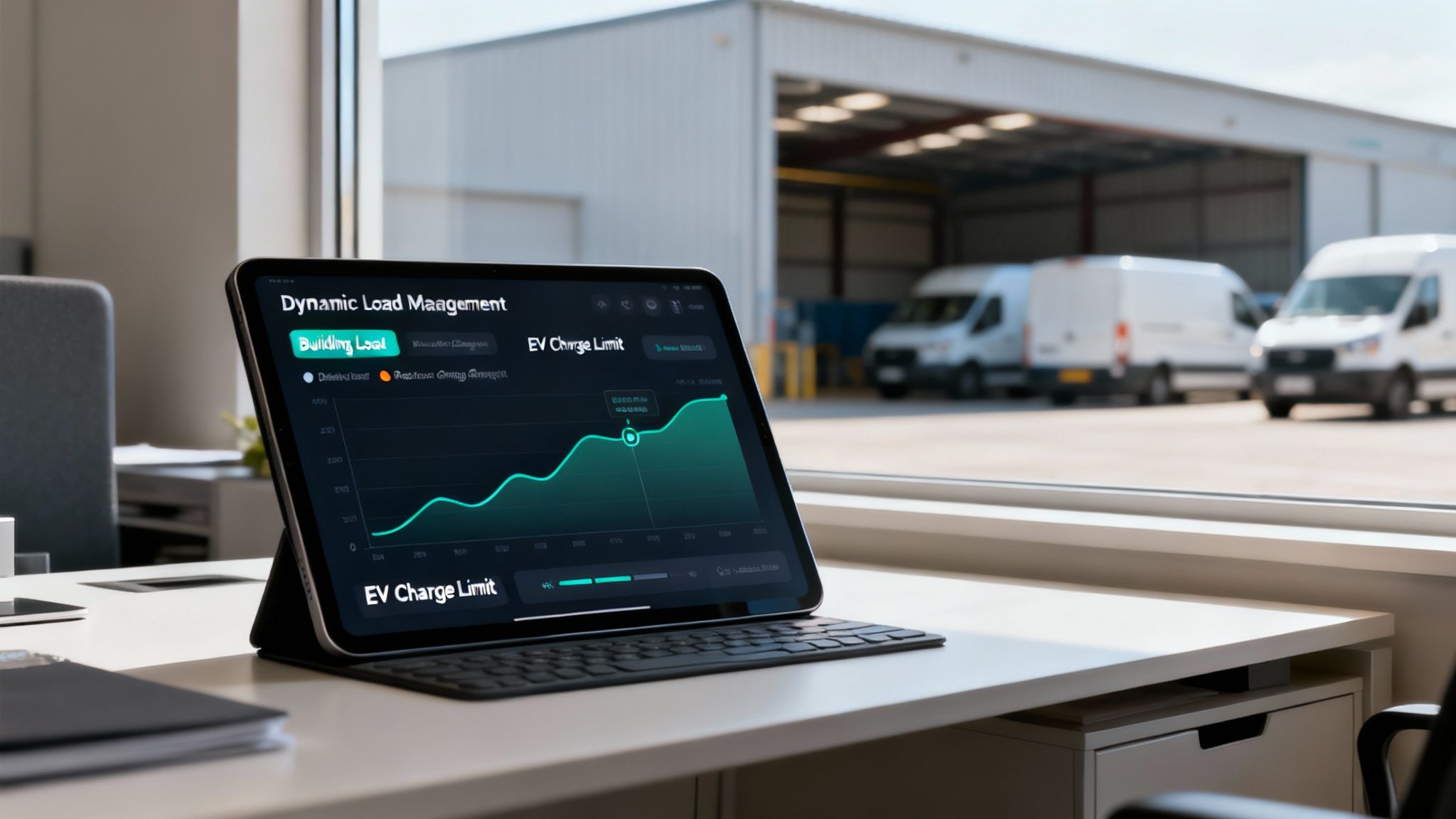
Data from the read p1 port Getting data is one thing. The real magic happens when you use that live feed to drive intelligent, automated actions. This is where the raw data from your meter comes together with an advanced energy management platform like Blulinc, shifting your energy strategy from reactive to proactive.
Our system is designed to use this constant stream of P1 data for dynamic charge management, fully automatically. No manual adjustments, no guesswork. The platform makes decisions every second to keep your energy consumption perfectly optimized.
When your building's total consumption peaks, our platform immediately and automatically scales back power to the EV chargers. As soon as the building's demand drops, it safely increases charging speeds to get your vehicles back on the road faster.
How Dynamic Load Balancing Works in Practice
You can view your location's grid connection as a fixed energy budget that you can spend at any time. The P1 port provides us with a live report on how much of that budget is being used by everything. except your EVs – the lighting, machines, HVAC, etc.
Our charge management system takes your total grid capacity and subtracts the real-time building consumption. What remains is the safe, available power that can be intelligently distributed across all your connected EV chargers.
This continuous calculation prevents your main fuse from ever blowing due to overload. It is a simple concept with a powerful result, especially when you consider the costs of an incorrect approach. Belgian regulations regarding the capacity tariff mean that a single 15-minute peak can determine your network costs for an entire month.
The core idea is simple but incredibly effective: EV charging is only allowed to use the remaining power capacity. This ensures that your core operations are never compromised and that your energy costs remain predictable and under control.
A Practical Example of Fleet Charging
Imagine a logistics company with a fleet of 20 electric vans. They must all be fully charged and ready for departure in the morning. The facility has a 100 kW Main connection – more than sufficient for daily operations, but the addition of 20 hungry EVs could easily overload it.
Here, the integration of P1 data is no longer a 'nice-to-have', but essential to keep the fleet running.
- During the day: The warehouse is running at full capacity and consumes approximately 70 kW. Our system sees that there is only 30 kW is at reserve capacity and automatically limits the total power to the charging stations to that threshold of 30 kW. Business operations continue uninterrupted.
- At night: When activity in the warehouse decreases, consumption drops to just 20 kW. The system immediately detects the currently available 80 kW and increases the charging capacity, sending more energy to the vehicles at a time when electricity is often cheaper.
The result? A fleet that is fully charged and ready for the next day's routes, without ever running the risk of grid overload or the need for an expensive infrastructure upgrade. That is the tangible benefit of using P1 data: smarter energy consumption, lower costs, and rock-solid operational reliability. For a deeper insight into how P1 data fits into broader energy strategies, this case study on a EMS Utilizing Snowflake an interesting lecture.
If you would like to implement a similar strategy, you can learn more about our advanced solutions for charging station management that make this type of automation possible.
Frequently Asked Questions about the P1 Port
When companies investigate how they the data of the read p1 port When it comes to what we can use for EV charging and smarter energy management, a few questions always arise. Let's answer the most common questions, with practical advice to get you started.
Addressing these details correctly is the key to a smart charging setup that is both reliable and effective.
Do all digital meters in Belgium have a P1 port?
Virtually all of them, yes. Almost all modern digital smart meters installed by Belgian grid operators such as Fluvius are equipped with an active P1 port. This is your direct, real-time feed for detailed energy data.
A small detail: the port is not always enabled by default. You may need to request activation via your network operator's online portal. This is usually a quick, free procedure. These meters are generally based on the DSMR 5.0-standard, which offers you that crucial one-second data refresh rate – perfect for dynamic load balancing.If you have an older meter, it is always a good idea to check the specifications to confirm that it has a P1 port and to find out the DSMR version.
Are there safety risks when connecting to the P1 port?
The P1 port is a low-voltage data connection, so it is very safe to work with. You are not working on the high-voltage side of your electrical installation. That being said, it is absolutely essential that you use a correctly designed P1 cable from a reliable supplier.
We strongly advise against making a cable yourself unless you are very familiar with electronics. A small wiring error can easily damage the communication chip in your meter, which means there will be no more data and you will have to call the grid operator. The port is designed to be plug-and-play, so as long as you use certified hardware, you are safe.
A well-made P1 cable ensures that the data and power pins are correctly insulated. This is not only about obtaining a stable data stream, but also about protecting your meter from damage. It is a small investment that pays off in reliability.
How can P1-data lower my business energy bill?
Absolutely. It is not just for smart EV charging; P1 data is a fantastic tool for immediate cost savings. By monitoring your real-time consumption, you can quickly detect energy waste, such as equipment left on after closing time.
Better yet, for companies in Belgium, you can use this data to actively your 'quarter-hour peakmanage. A large part of your grid costs is based on your highest consumption peak in a month. By using P1 data to smooth out those peaks, you can realize significant savings.
Imagine a logistics company automatically delaying the charging of its vehicles for just 15 minutes at night when a large refrigeration unit kicks in. That small, automated adjustment prevents a new, higher peak from being captured, which immediately reduces capacity costs on their next electricity bill.
What should I do if my P1 data stream stops working?
If your P1 data feed suddenly cuts out, don't panic. There are a few simple steps you can follow before calling for help.
- Check the Physical Connection: First, ensure that the RJ12 cable is properly connected at both ends – in the meter and in your readout device. A loose cable is the most common cause.
- Restart Your Reader: Try restarting your device, whether it is a Raspberry Pi or a dedicated P1 reader. This often resolves temporary software issues.
- Check your software settings: If it still doesn't work, check if your software's serial port settings have been changed. They must be set to 115200 baud, 8N1.
- Test the Cable: If the data appears unreadable or does not appear at all, the cable itself may be defective. The quickest way to know for sure is to test with a spare P1 cable that you know works.
If you have followed all these steps and the port still does not provide any data, it might be time to contact your network operator. They can check if the port on their end is still active and functioning correctly.
Ready to turn your energy data into a powerful tool for cost savings and efficient charging of your EVs? The experts at Blulinc We would be happy to assist you in designing and implementing a smart charging solution tailored to your company.